Complete Guide to Creating Custom Map Regions [bookmark this]
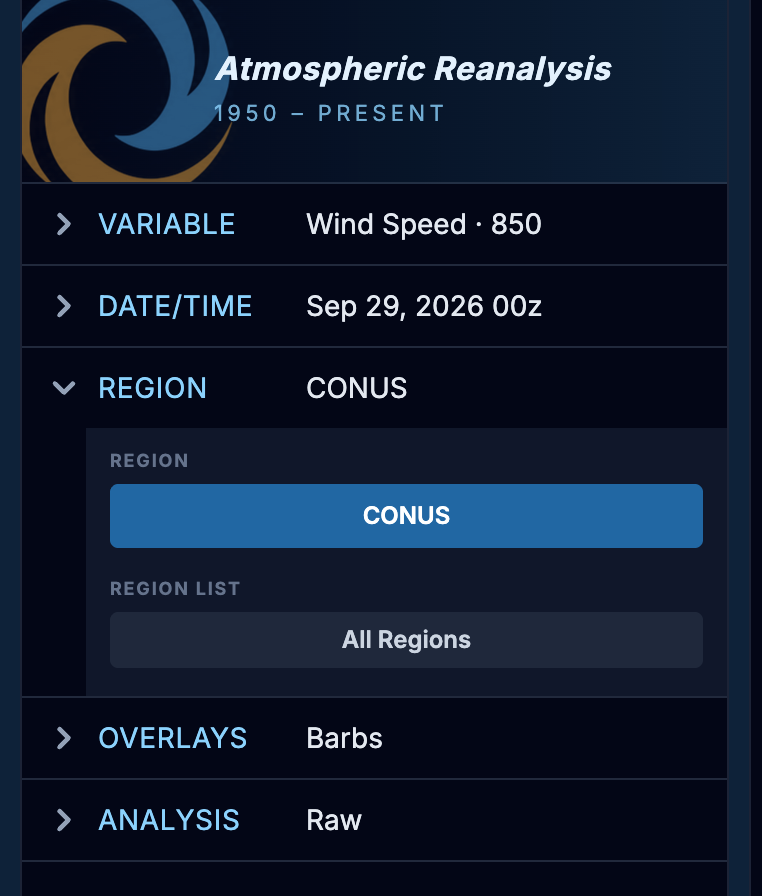
We now have custom map regions on PyRe! This was a the number one feature request we have had this past month from professionals, so I got to work and i think you'll find it very intuitive to use. To get started creating a custom region, select the "Regions" Menu bar on the left of the screen and Click the "All Regions" button
We now have custom map regions on PyRe! This was a the number one feature request we have had this past month from professionals, so I got to work and i think you'll find it very intuitive to use. To get started creating a custom region, select the "Regions" Menu bar on the left of the screen and Click the "All Regions" button
Click "All Regions"
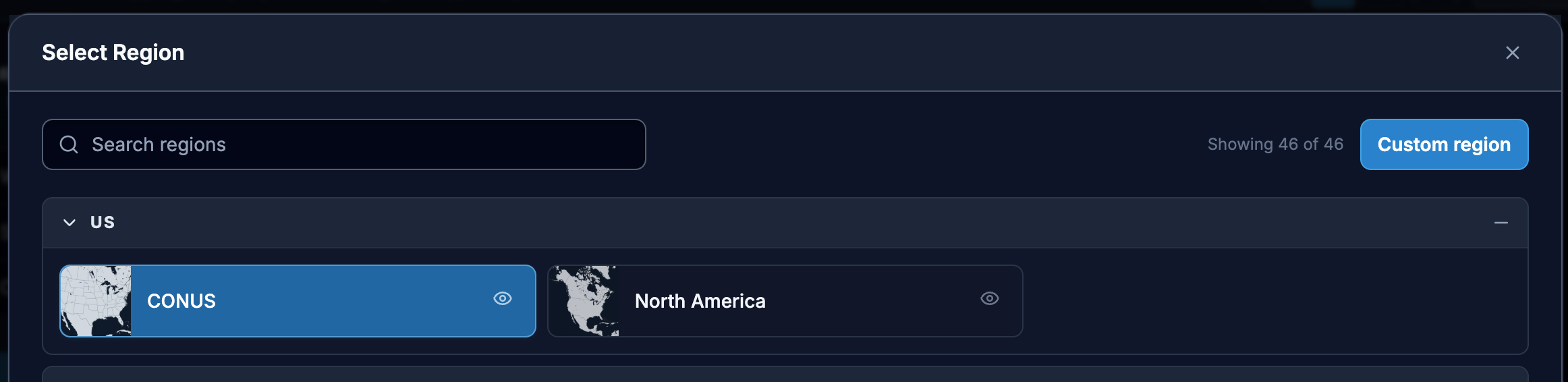
You'll see an overlay with 46 different World Regions. The site is currently has US (CONUS) and North America at the top since most of us PyReHeads are in the US. But if you can't find the region you need in the Regions list, click on "Custom region" on the right upper corner, and a cute world map will open for you:
Click Custom Region
This Modal Opens
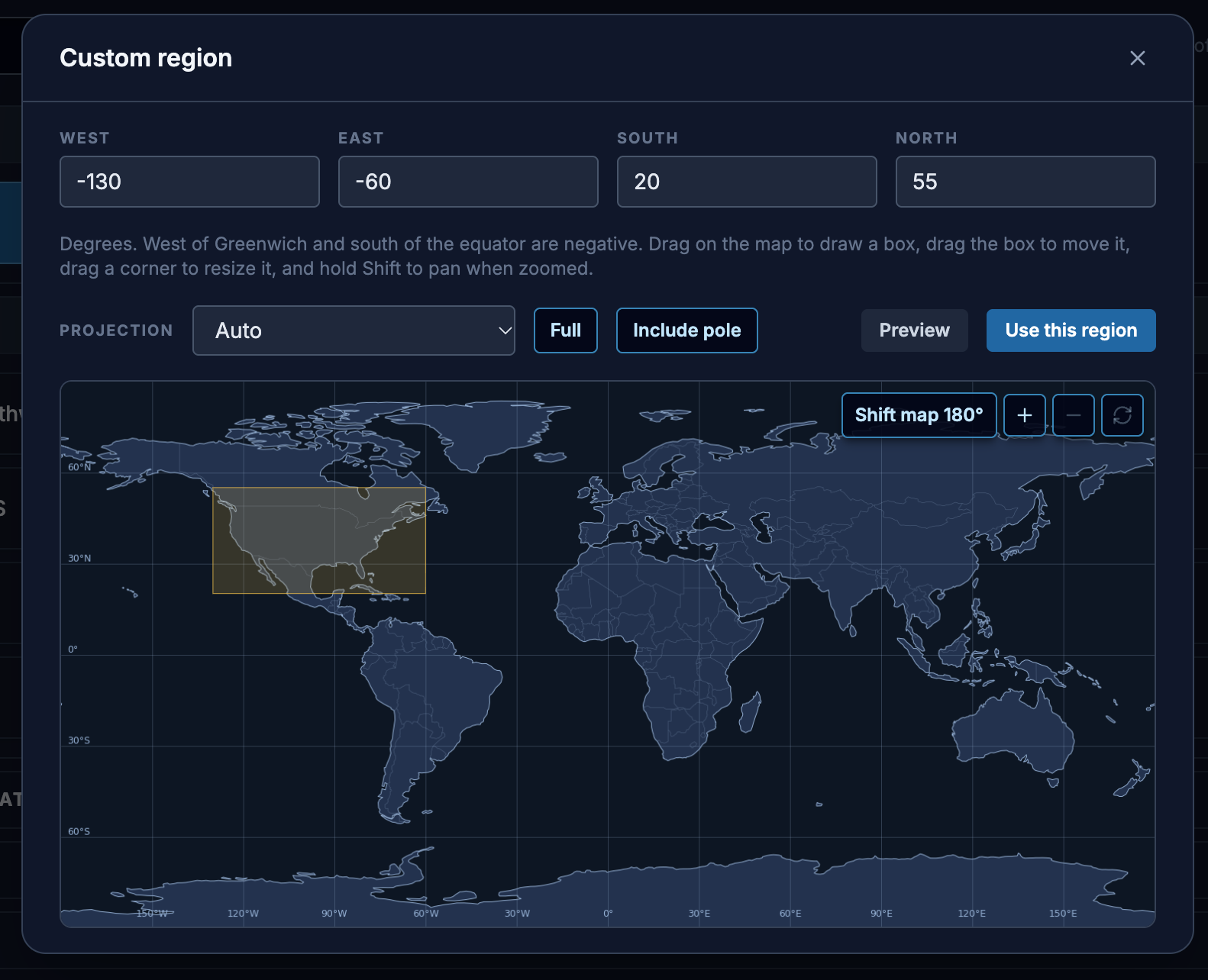
This is a lot of fun to explore so I won't bore you too much but we currently have 6 different projections to choose:
Projections List
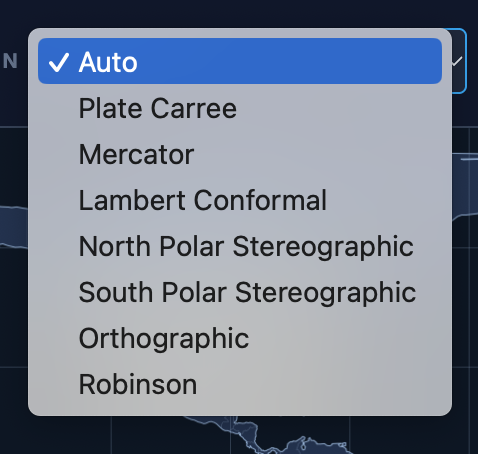
Here is a quick overview of when to choose what, or leave it set to "Auto" and we'll determine it based on your selected area.
- Mercator for Tropical regions - preserves angles and shapes at lower latitudes
- Lambert Conformal - Preserves angles and shapes for east west stretches in mid and upper latitudes
- North and South Pole stereographic - Best for direct views of the poles
- Orthographic (Globe views...these are fun!) - View from space, but shape angle and size quickly distort away from the center of focus
- Robinson - Global map that compromises shape and area in order to minimize distortion at the poles like a Mercator. Handsome map.
- Plate Carree - This is a non-projection it's just x,y coordinates. It's nice to view data coverage, but there's no preservation of any shape, area, angle at any location.
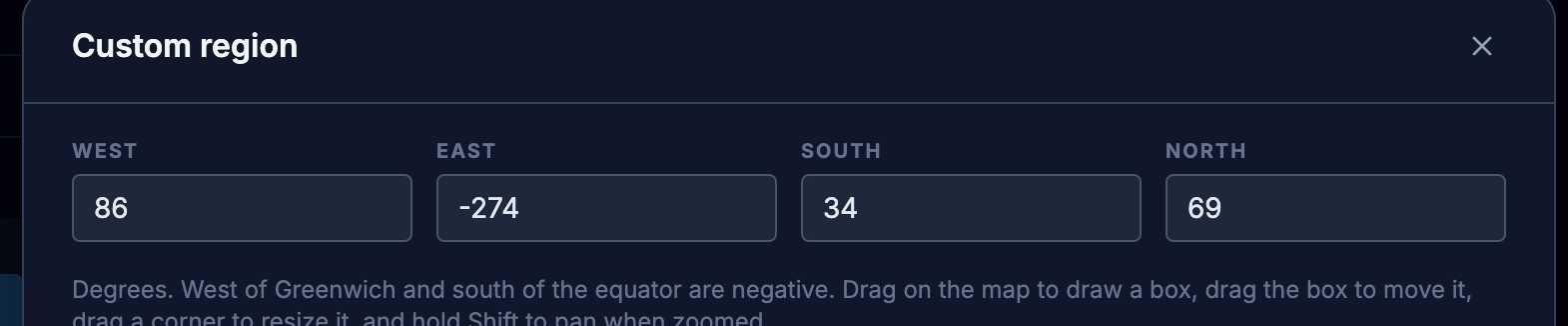
If you prefer you can also type in the exact bounds for West, East, South and North, which is helpful if you are trying to replicate an exact region or have consistency on revisits to the site.
Enter W, E, S, N Bounds:
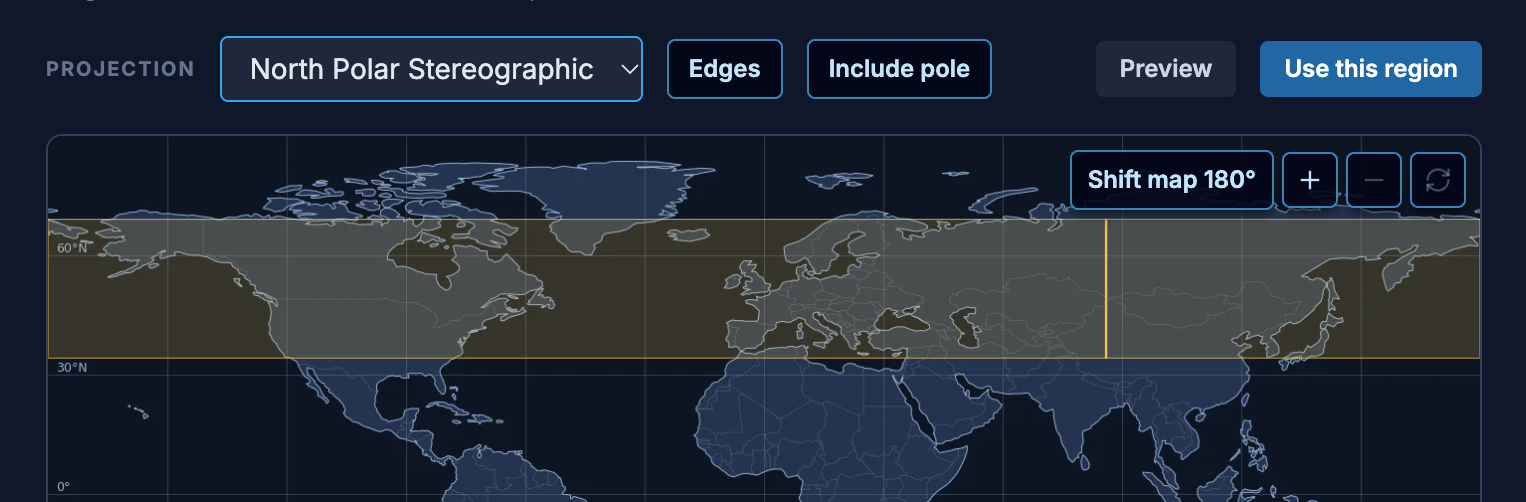
You can even make donut shaped maps by selecting a full width rectangle and dragging the top bar away from the pole. Also see that yellow seam over Asia? That will be the bottom center of your stereographic map. Just drag it where you want it.
Full Width Stereographic with Bottom Center Slider
Donut Map: (not sure why you would want this but it's cool!)
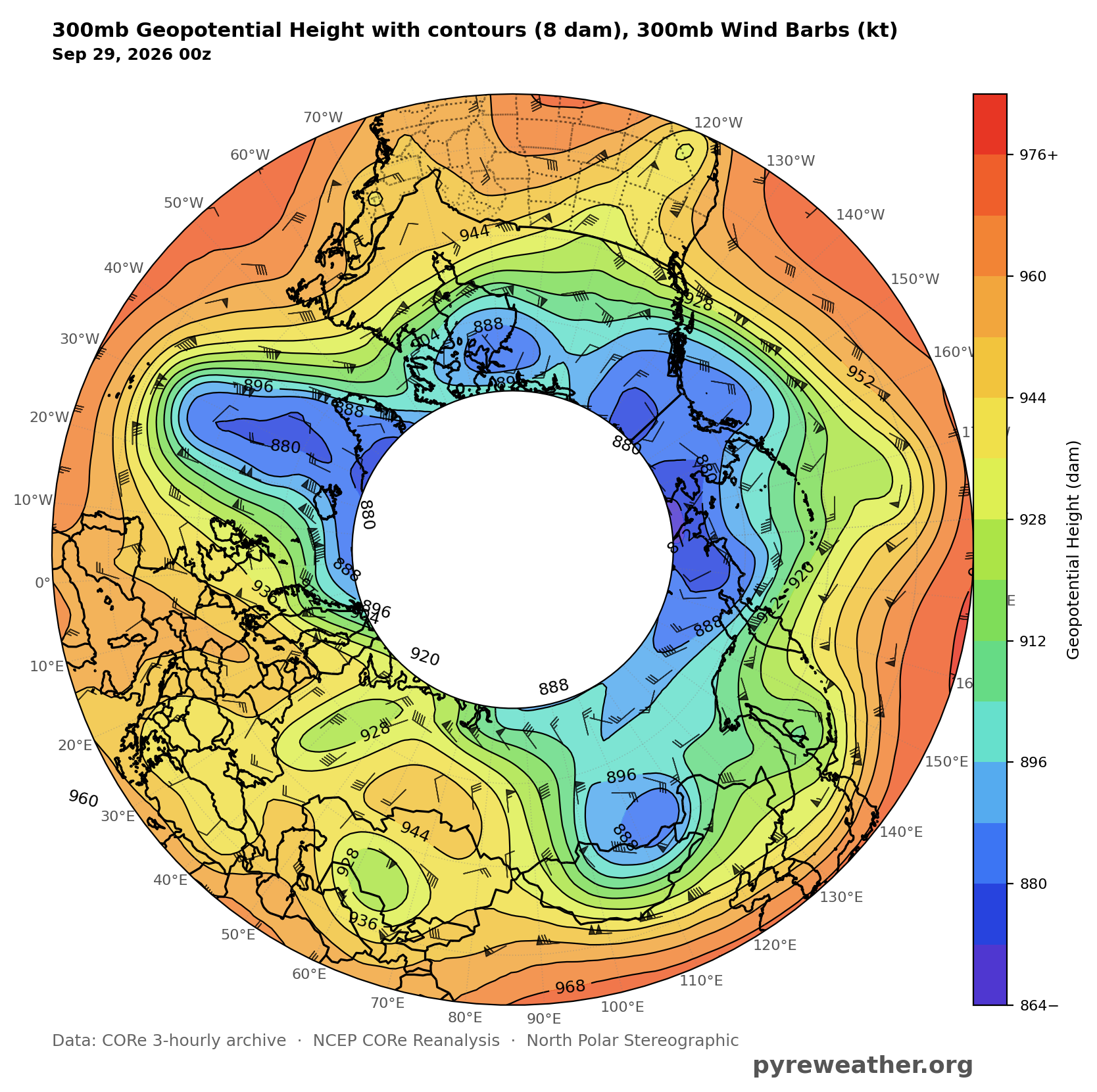
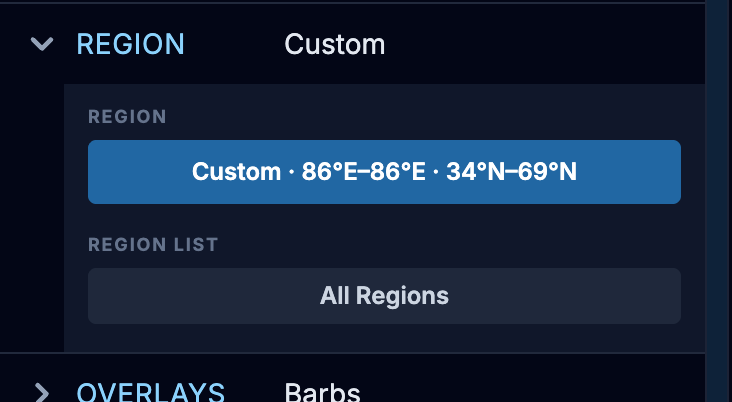
Once you have your regions selected you can click the Preview button on the right edge of the map window (just above the map), and if you like what you see, click on "Use this Region" (see screenshot above). Back in the main mapping window you'll see the Region listed as "Custom" and your lat & long bounds shown as well.
Custom map identified:
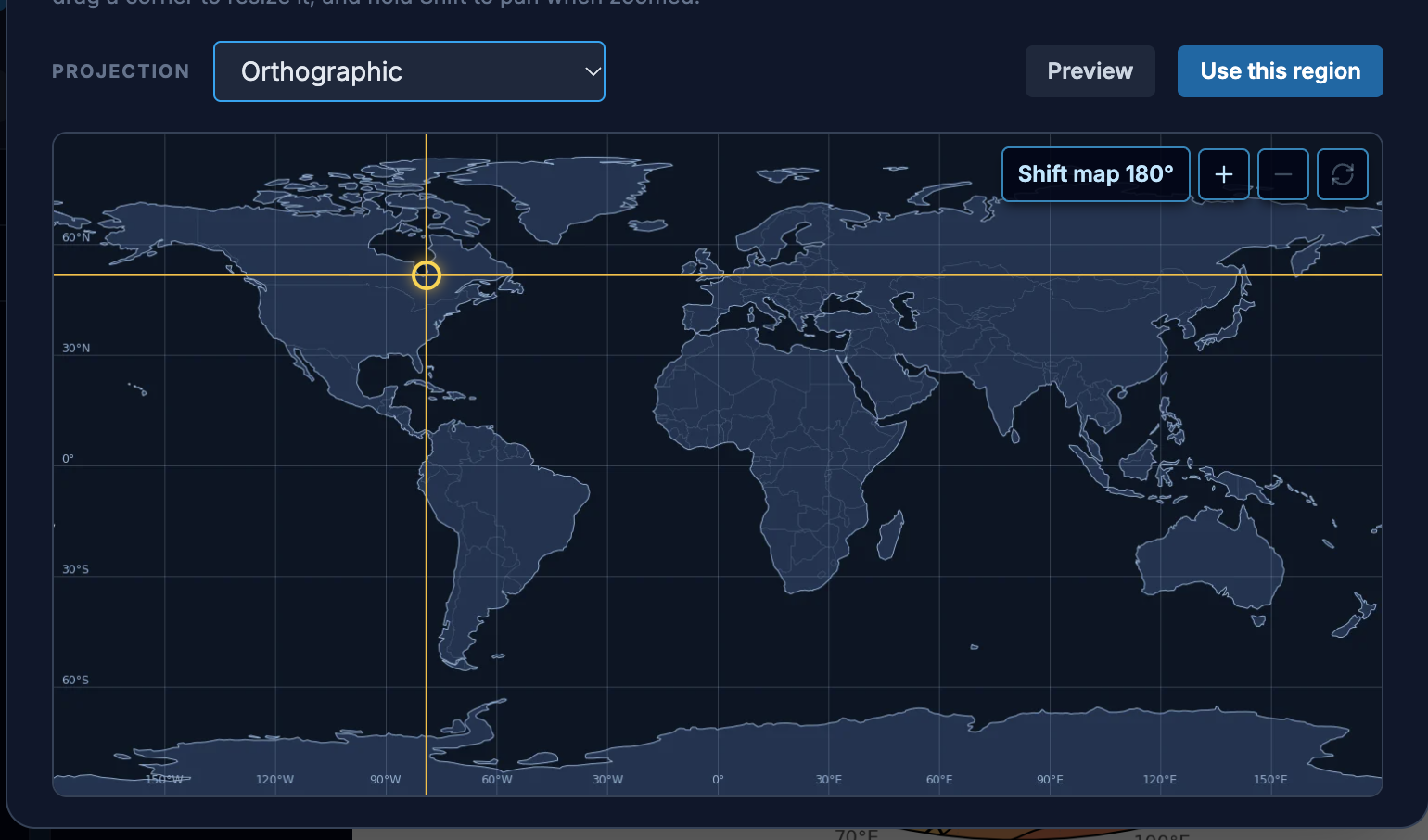
Here is one of my favorite features of the map chooser, if you select "Stereographic" you get a set of glowing amber crosshairs that identify the exact spot on the globe you want in the center.
Orthographic in the Crosshairs:
Saving Custom Regions Right now I don't have a direct way for you to save a region to reuse, but what you CAN do is create an account if you haven't yet, and click "Save" on the bottom rail after your map is created.
Save to your library (needs an account)
This pulls up your own Library where you can not only keep your completed maps, but you will have the map "recipe" saved with it as well. Note that you can also organize by projects and folders here, to make it easy to get back to a certain event, class, climate events, etc.
My Maps Library
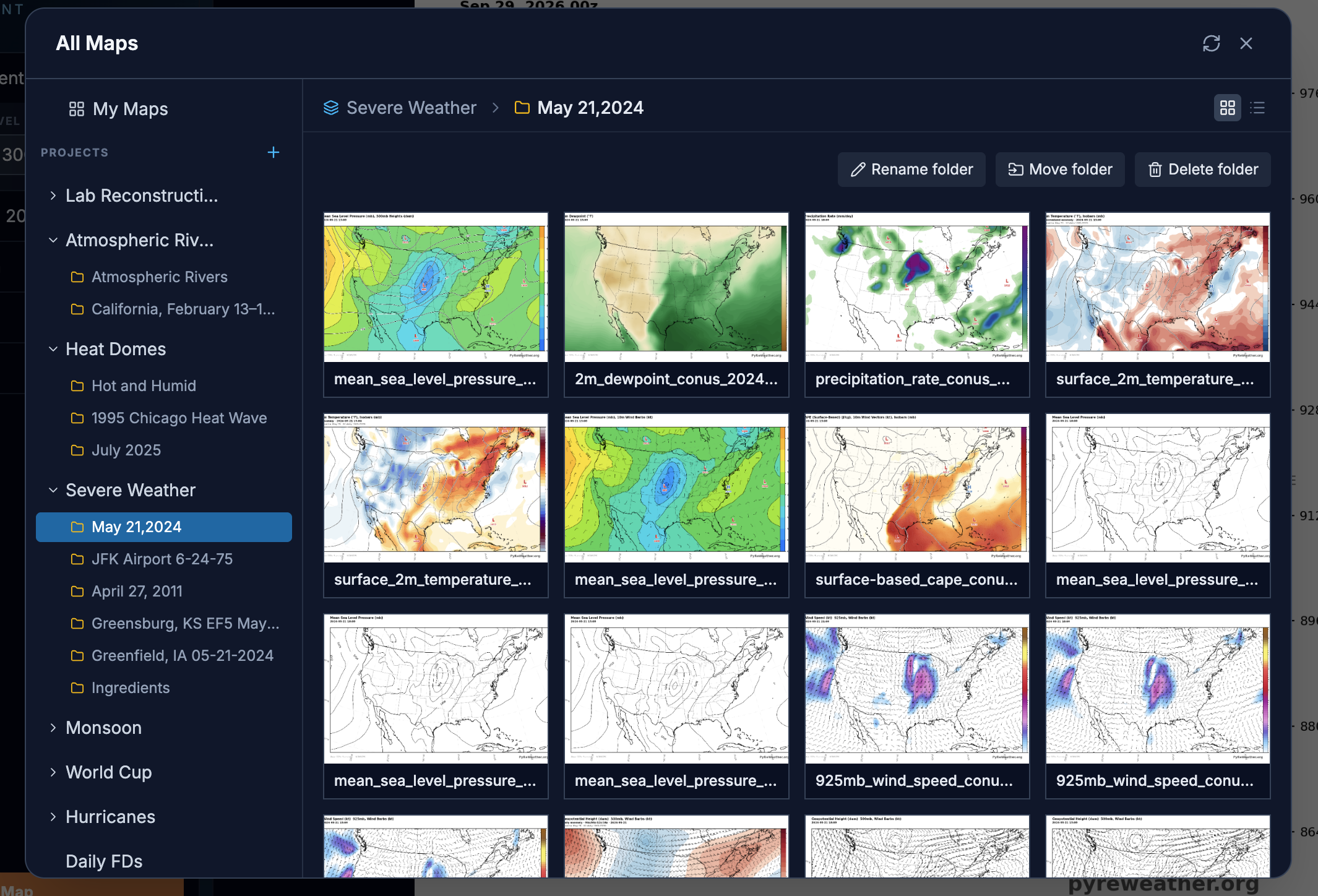
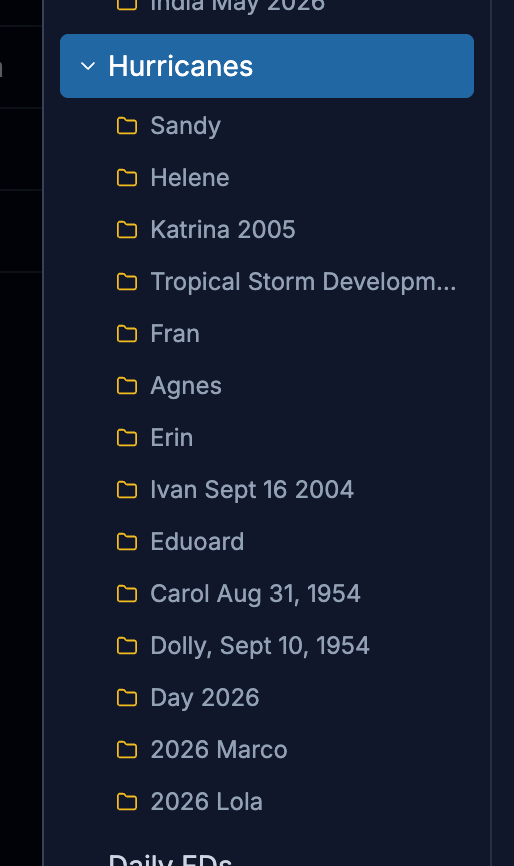
For example you could have a Project called Hurricanes, and folders for each hurricane by year. And inside there you would save related maps.
Hurricanes Organized (sort of ) by name and year
Come back anytime later and click on that map to open it. Your custom region will still be shown and you can adjust the new settings from there.
Open in builder to edit and create new variations
I plan to add features to make this better and would love your input. Things like being able to select favorites and defaults that appear at the top, and a way to save your custom region so it will appear without doing the library trick. Let me know what you get a chance to try and if you have any suggestions or if there is something you really like, I would love to hear about it! Don't forget to tag us on social media @pyreweather X / Twitter